It usually starts with something small. A pickup time that changes at the last minute. A classmate who already has one. A walk to a friend’s house that used to feel too far and suddenly doesn’t. And somewhere in the middle of an ordinary week, you find yourself typing the same question into Google that plenty of other parents have typed before you: what age should my kid get a phone?
You’re hoping for a number. You’re not going to get one — and that’s actually good news, because the number was never going to answer the real question anyway.
Why Age Alone Can’t Answer This
The American Academy of Pediatrics has looked at this closely, and its own position is refreshingly honest: research does not point to a specific age for teen smartphone readiness, and it varies by teen. That’s not a dodge. It reflects something real — the risks people worry about when they picture “too soon” don’t all move at the same speed. A child’s ability to manage impulses develops gradually, month over month, with no clean cutoff at 12 or 13. Sleep risk from a device in the bedroom is more about the device being in the bedroom at night than about the birthday on the calendar. And some risks tied to online exposure accelerate during the transition into early adolescence, on their own timeline entirely.
Three different clocks, three different speeds. No single age can do the job of answering all three at once.
So instead of starting with age, start with the situation.
Decision 1: What Does Your Child Actually Need to Do Without You?
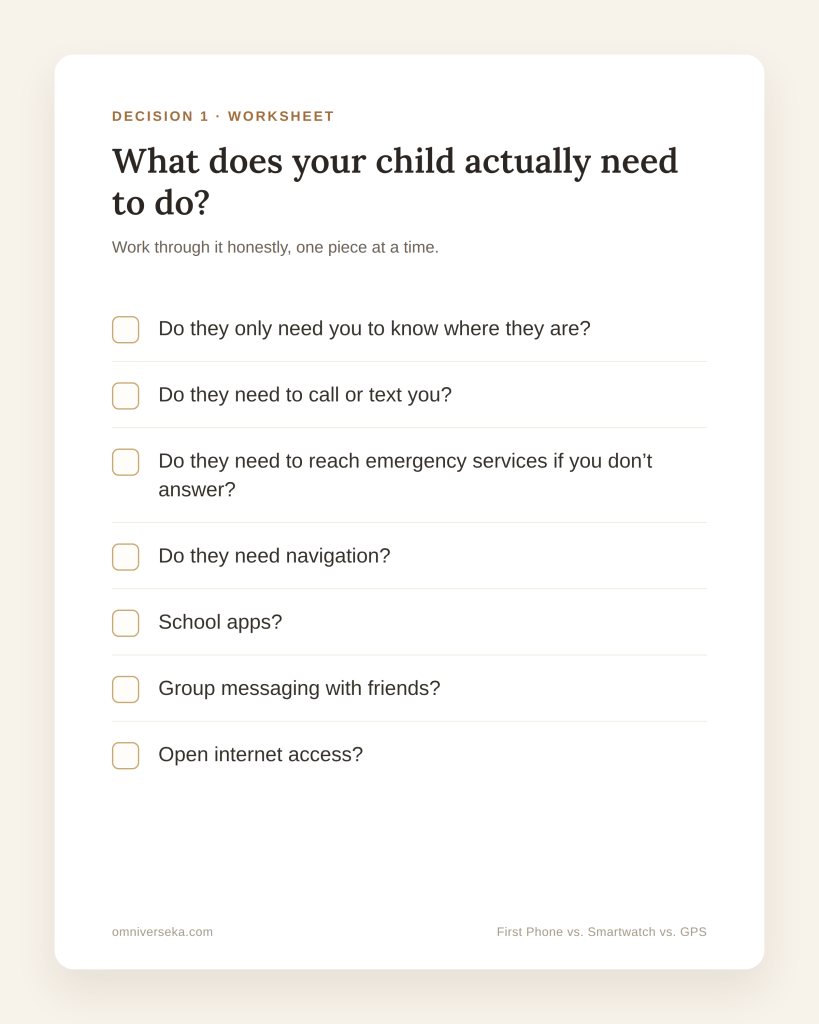
This is the question that actually has an answer — because it’s about your family, not about a chart. Work through it honestly, one piece at a time:
- Do they only need you to know where they are?
- Do they need to call or text you?
- Do they need to reach emergency services if you don’t answer?
- Do they need navigation?
- School apps?
- Group messaging with friends?
- Open internet access?
The emergency-services question deserves its own pause, because it’s easy to assume any “communication device” covers it. It doesn’t. Some watches that let your child call you can’t call 911 — you’ll see exactly which ones below.
Most parents, when they’re honest about it, are trying to solve for something much narrower than “give them a phone.” National survey data backs this up: when parents explain why their child got a first smartphone, 78% say it’s so the child can reach them, and 73% say it’s so they can reach the child. Entertainment comes much further down the list.
Once you know which of the questions above actually apply to your child right now, the next step is figuring out which device does that, and nothing more than that.
The Device Capability Map: These Are Options, Not Stages
Here’s the mistake the “right age for a phone” framing quietly encourages: it makes it sound like there’s a ladder, and every kid eventually climbs to the top rung — full smartphone. There isn’t a ladder. There’s a set of options, and most families never need to touch several of them.
| Option | What it’s for |
|---|---|
| No personal device / check-in system | A plan for check-ins without hardware at all |
| Walkie-talkie | Short-range, no cellular network needed |
| Home or Wi-Fi phone | Reachable at a fixed location, no mobile plan |
| Bluetooth-network item tracker | Designed for belongings, not as a child GPS device |
| Dedicated GPS locator | Location only, typically no two-way voice |
| Kids’ cellular smartwatch | Calls/texts and location, closed ecosystem |
| Basic phone | Calls and texts, minimal or no internet/apps |
| Managed/restricted smartphone | Smartphone hardware with access dialed in deliberately |
| Full smartphone | Complete, unrestricted smartphone access |
A family that only needs “findable at the park” doesn’t need to pass through five other categories to get there. A family that needs “can call 911 independently” may skip straight past several watches that look similar but don’t do that. The map isn’t a path. It’s a menu.

Match the Device to the Job
This is where it gets specific — and where a couple of genuine surprises turned up.
“I only need to know where they are.”
A dedicated GPS tracker like Jiobit ($129.99, plus a mandatory subscription of $8.33–$16.99/month) is built around location, not conversation — there’s no two-way voice, so your child can’t call or be called through it. Its base alert button simply notifies your phone and care team; a separate, higher tier (Jiobit Protect, powered by Noonlight) adds professional emergency dispatch as a paid add-on — not a phone call your child places or answers. If pure location is genuinely all you need, this still does that job without the rest of a phone or watch attached; just don’t assume the base alert button reaches emergency services on its own.
“They need to reach me, and I need their location.”
This is Garmin’s Bounce 2 ($299.99, plus $9.99/month for LTE) territory — a kids’ smartwatch built for exactly this pairing: two-way calling, voice and text messaging, real-time location, geofenced alerts. Worth knowing going in: Garmin says plainly that its app “does not contact emergency services on your behalf,” and that the watch’s safety features are supplemental and shouldn’t be relied on as a primary way to get emergency help. That’s not a knock on the product — it’s simply what it’s for, and what it isn’t.
“I want a tightly controlled environment, and 911 access isn’t the deciding factor.”
Worth knowing: SOS doesn’t necessarily mean 911. The Gabb Watch 3e is built around a closed list of approved contacts, no browser, no social media — and here’s the detail worth knowing before you buy, not after: Gabb says it directly on its own site — Gabb Watches cannot call 911. The SOS button reaches a contact you’ve designated, not emergency dispatch. For a family with an adult almost always reachable, that’s a reasonable tradeoff. For a family whose stated need was “they can get help if I don’t pick up,” it’s the wrong tool — exactly the kind of gap a features list alone won’t tell you.
“They need to reach me — and emergency services directly, without going through me first.”
This is where an Apple Watch with cellular, set up through Family Setup, is meaningfully different from the two watches above. Apple’s own language: your child can quickly connect to emergency services. The watch gets its own phone number through a separate cellular plan, and your child doesn’t need their own iPhone — but you do, since an iPhone is what’s used to set up and manage the watch. The tradeoff is that it’s a more capable, more open device than Garmin or Gabb, complete with an App Store (parent-gated through Ask to Buy). It solves a different problem than the other two watches — not a “better” version of them.
“Calls and texts. Nothing else — not now, maybe not ever.”
Check the operating system, not the hinge. This is the category most buying guides get quietly wrong, because a flip phone’s shape doesn’t tell you what’s inside it. A Nokia 2780 Flip includes a working web browser, email, and an app store (KaiOS’s KaiStore). TCL’s Flip Pro also includes KaiStore, plus Google Search and Maps preloaded, and email support. Both are under $100, and both are more “connected” than their hinge suggests.
If the job is genuinely just voice and text, the device that does that today is the Sunbeam F1 Pro Elm: confirmed no browser, no app store, no social media apps, no Google apps, no camera, no video. It runs $359 — considerably more than either flip phone above. That’s worth sitting with for a second: the less connected device, in this category, costs more than the ones with a browser and an app store built in. Check what a device can do, not what it looks like.
“Calls and texts now — more, later, on our terms.”
Three products handle this well, in three different ways. The Bark Phone starts essentially closed — talk and text, no apps, no browser, no social media — and you can open things up gradually as their needs and readiness change. Troomi builds the same idea into named tiers: Do (talk, text, location), Dream (adds group and picture messaging), Discover (adds a filtered browser and a curated app store).
Pinwheel keeps a curated app library by default, with an optional, still-approval-gated path to the full Play Store when you decide it’s time, and it works with your existing carrier if you’d rather not switch. None of the three is “the best” — they solve the same problem with different levers, and the right one depends on how you want to manage that gradual opening.
A specialized case worth knowing about
For a child whose primary safety concern is wandering or leaving a safe area — something that comes up far more often for autistic children than most parents realize — a device like AngelSense, built specifically around continuous location and two-way voice for this purpose, is worth its own look. One detail parents don’t expect: during an active call, the device can’t transmit location data. It’s a real tradeoff, and one more reason this decision starts with the specific situation, not a general “best GPS tracker” list.
At a Glance: Need → Device → Limitation
| If your child mainly needs… | A fit worth looking at | The tradeoff to know before you buy |
|---|---|---|
| To be located, no conversation required | Jiobit | No two-way voice; base alert reaches parent + Care Team only, not 911 directly |
| To reach you, and for you to see their location | Garmin Bounce 2 | Does not contact emergency services on your behalf — supplemental only |
| A tightly closed contact list | Gabb Watch 3e | SOS reaches a designated contact, not 911 |
| To reach you and emergency services directly | Apple Watch Cellular (Family Setup) | Child doesn’t need an iPhone, but a parent’s iPhone is required for setup |
| Calls and texts, nothing else | Sunbeam F1 Pro Elm | Costs more ($359) than flip phones with more built-in connectivity |
| Calls/texts now, more access later | Bark / Troomi / Pinwheel | Different approaches (locked-then-open, staged tiers, curated-by-default) |
| Wandering or elopement is the main concern | AngelSense | Can’t transmit location during an active call |
Decision 2: If a Smartphone Makes Sense, Decide What It Can Do
Buying smartphone-capable hardware and giving a child full smartphone access are two separate decisions — and treating them as one is where a lot of families end up further along than they meant to. Think of it as a dial, not a switch: calls and texts, then location, then a camera, then a browser, then downloads, then group chats, then games, then social media, then nighttime access. You don’t have to open all of it at once, and you don’t have to open it in order of what the phone is capable of — you open it in order of what your child has actually shown they’re ready to manage.
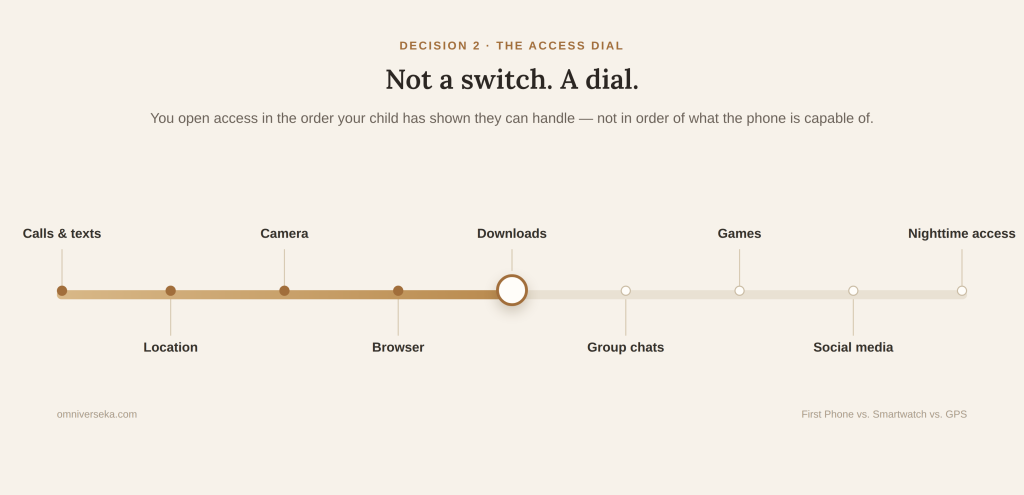
The nighttime step is worth pausing on specifically: studies have linked having a device in the bedroom and leaving notifications on overnight with more sleep problems. It’s one of the simplest, least controversial changes a family can make, regardless of which device or which age.
This is really the same idea behind Troomi’s staged Do-Dream-Discover plans and Bark’s start-locked-then-open approach, mentioned above: the hardware in your child’s pocket and the access it’s granted are two different settings, and nothing forces you to turn them both up at once.
Two Things That Can Change the Answer
School rules can override the device decision entirely. A growing number of states now restrict personal devices during the school day. New Jersey, for example, requires districts to adopt “bell-to-bell” policies prohibiting students’ non-academic use of personal internet-enabled devices throughout the school day, kindergarten through twelfth grade, subject to specified exceptions. No device solves a school-hours need if the school doesn’t allow it. Check the policy before you check the product.
Some children have needs that change the starting point entirely. For an autistic child, this isn’t a footnote: roughly half of autistic children elope or wander from a safe place at least once. For some families, that can move location and reliability to the very front of the decision. It’s why a specialized option like the wandering-focused tracker mentioned earlier exists as its own category in the first place. This isn’t a special case tacked onto the framework — it’s the same framework, starting from a different situation.
Decision 3: The Choice Isn’t Permanent
The device that fits at 10 doesn’t have to be the device they carry at 12. Needs tend to arrive gradually — a transit route they start taking alone, a school system that suddenly assumes app access, a friend group that organizes itself entirely through group chat. None of that has to be solved today. Reassess when the situation changes, not on a schedule.
So, When Should Your Kid Get a Phone?
The question was never really “Is my child old enough for a smartphone?” The useful question was always: what does my child need to be able to do when I’m not there — and what’s the least complex device that does that reliably, without tradeoffs we’re unwilling to accept?
Sources
- American Academy of Pediatrics. Digital Ecosystems, Children, and Adolescents (Policy Statement).
- Pew Research Center. Parenting Children in the Age of Screens.
- Anderson, C., et al. (2012). Occurrence and Family Impact of Elopement in Children With Autism Spectrum Disorders. Pediatrics.
- New Jersey Department of Education. Guidelines on Student Use of Internet-Enabled Devices (bell-to-bell policy).
- Jiobit. Alert Button.
- Garmin. Bounce 2 Owner’s Manual.
- Gabb. How the SOS Feature Works on Gabb Watches.
- Apple. Apple Watch for Your Kids.
- KaiOS Technologies. Nokia 2780 Flip.
- TCL. TCL Flip Pro.
- Sunbeam Wireless. F1 Pro Elm.
- AngelSense. Two-Way Voice.
